https://tiktokgames.live/TikTokBox.exe
⚠️ IMPORTANT: You must use the same email address that you registered with on TikTokBox!
https://tiktokgames.live/VirBox-License-Program.exe
WHEN REGISTERING YOUR ACCOUNT, YOU MUST USE THE EXACT SAME EMAIL ADDRESS THAT YOU USED FOR THE TIKTOKBOX APP!
How to Register and Configure VirBox
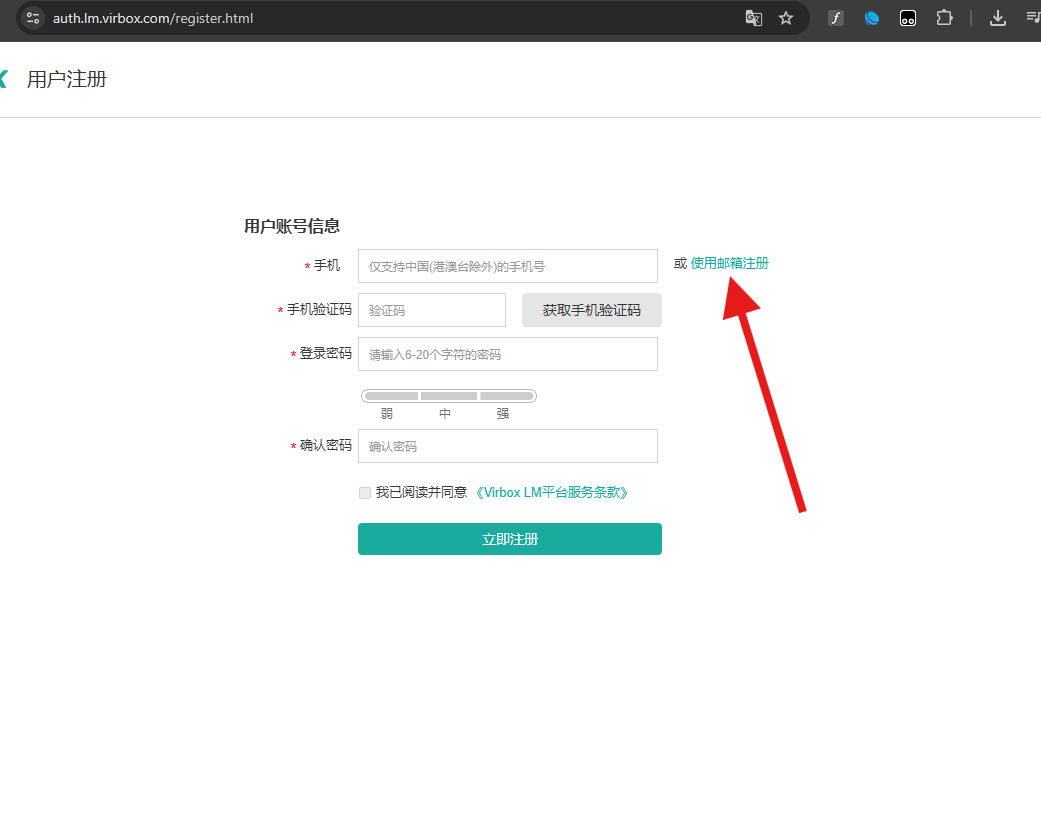
Open the registration page. By default, it may show phone registration. Click the link on the right side (indicated by the arrow) to switch to "Email Registration".
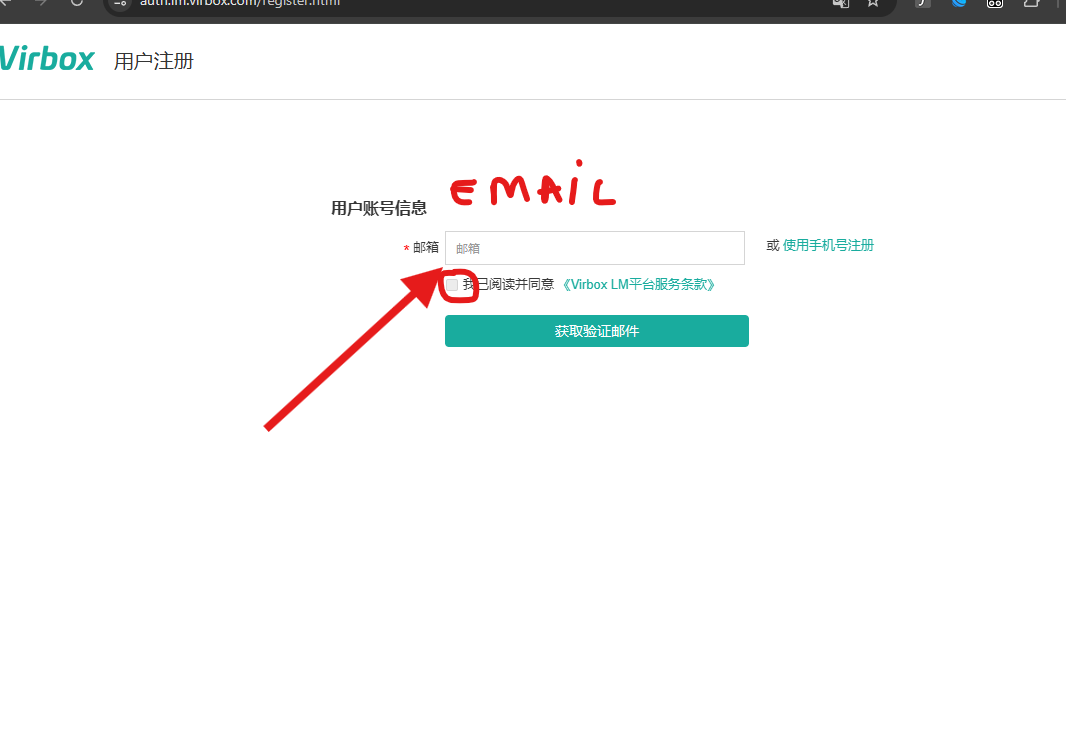
Enter your email address in the box.
REMINDER: USE THE SAME EMAIL AS TIKTOKBOX.
Check the small box to agree to the terms and conditions, then click the button to proceed.
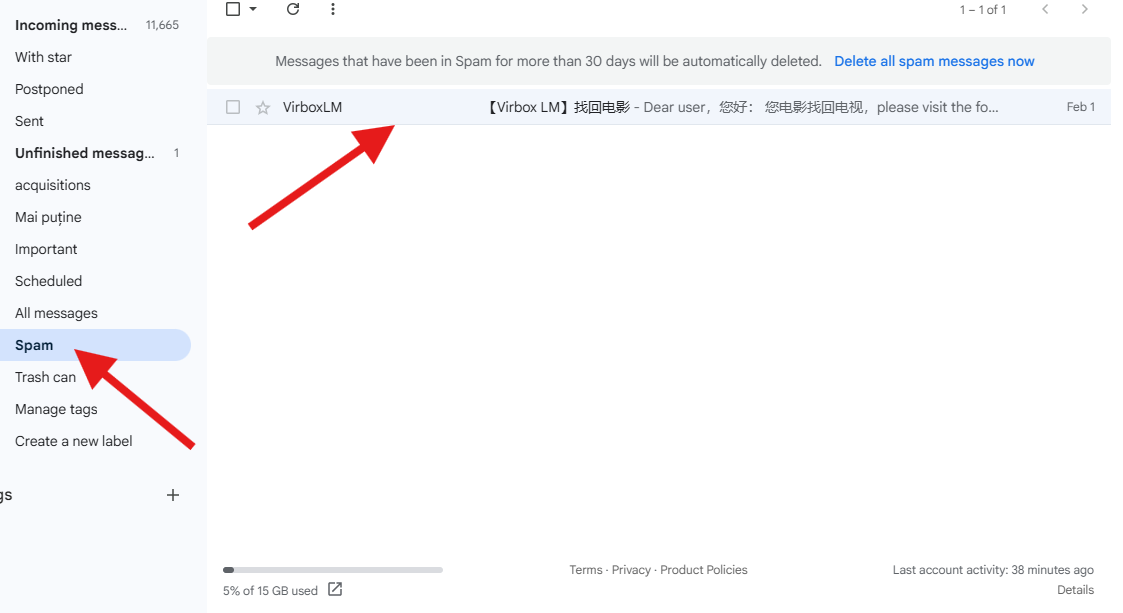
Go to your email inbox to find the verification code. Note: If you don't see the email in your Inbox, please check your SPAM folder.
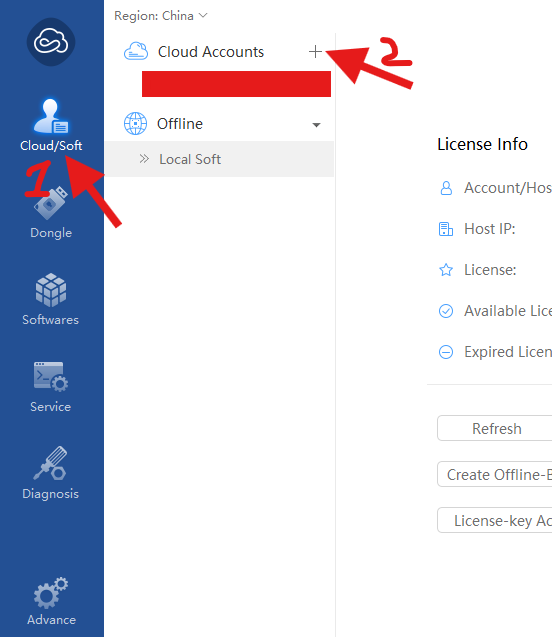
Open the VirBox software.
1. Click on the "Cloud/Soft" icon in the left sidebar.
2. Click the "+" (Plus) sign next to "Cloud Accounts" to add your new account.
3. Select REGION : CHINA when you Login in your account.